

Mileage tracking. No subscription.
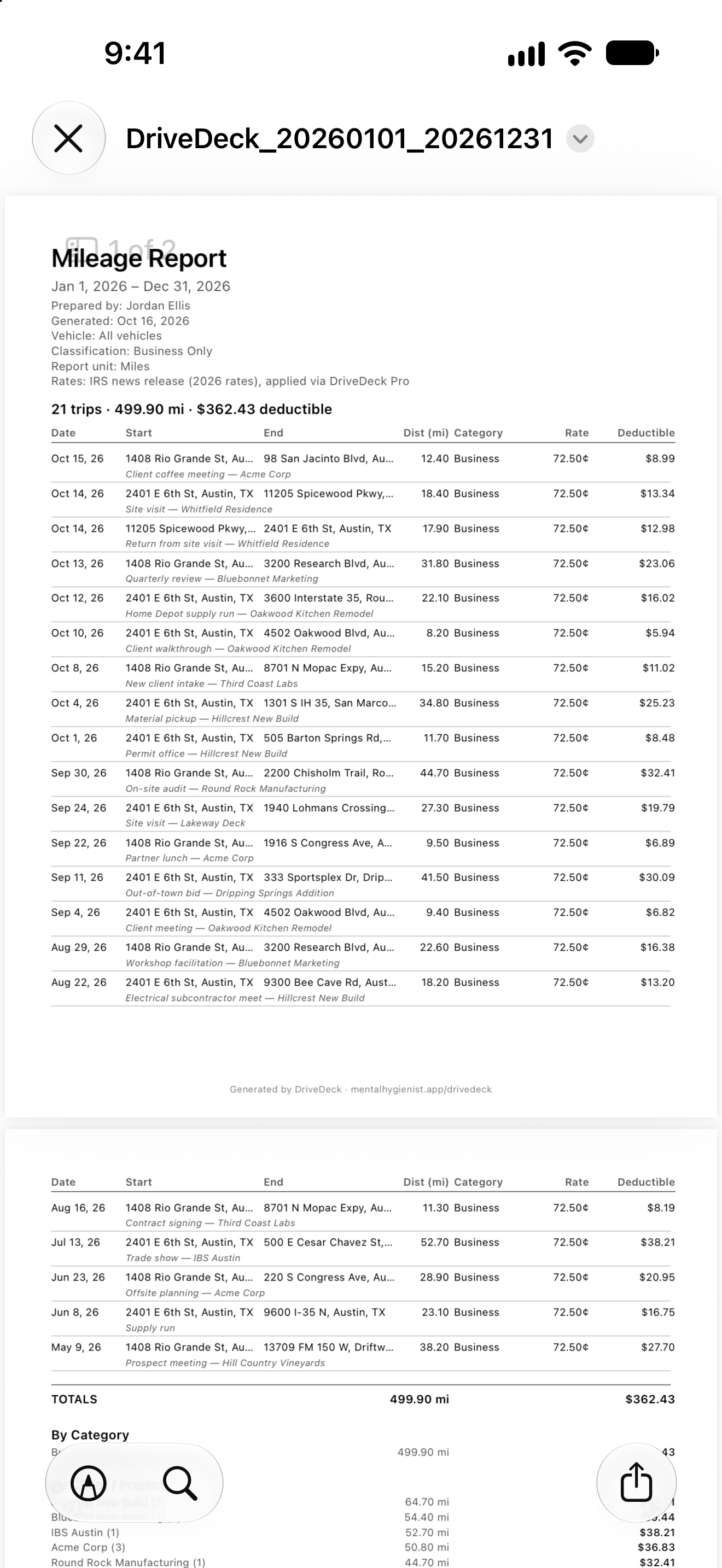
You can't deduct miles you didn't track. DriveDeck logs every business trip, calculates your deduction at the current IRS rate (72.5¢/mile for 2026), and generates tax-ready PDF and CSV reports you can hand straight to your accountant. Built for gig drivers, contractors, and the self-employed.
One-time $7.99 to unlock exports—no monthly subscription, ever. Track free all year; pay once when you need the report.

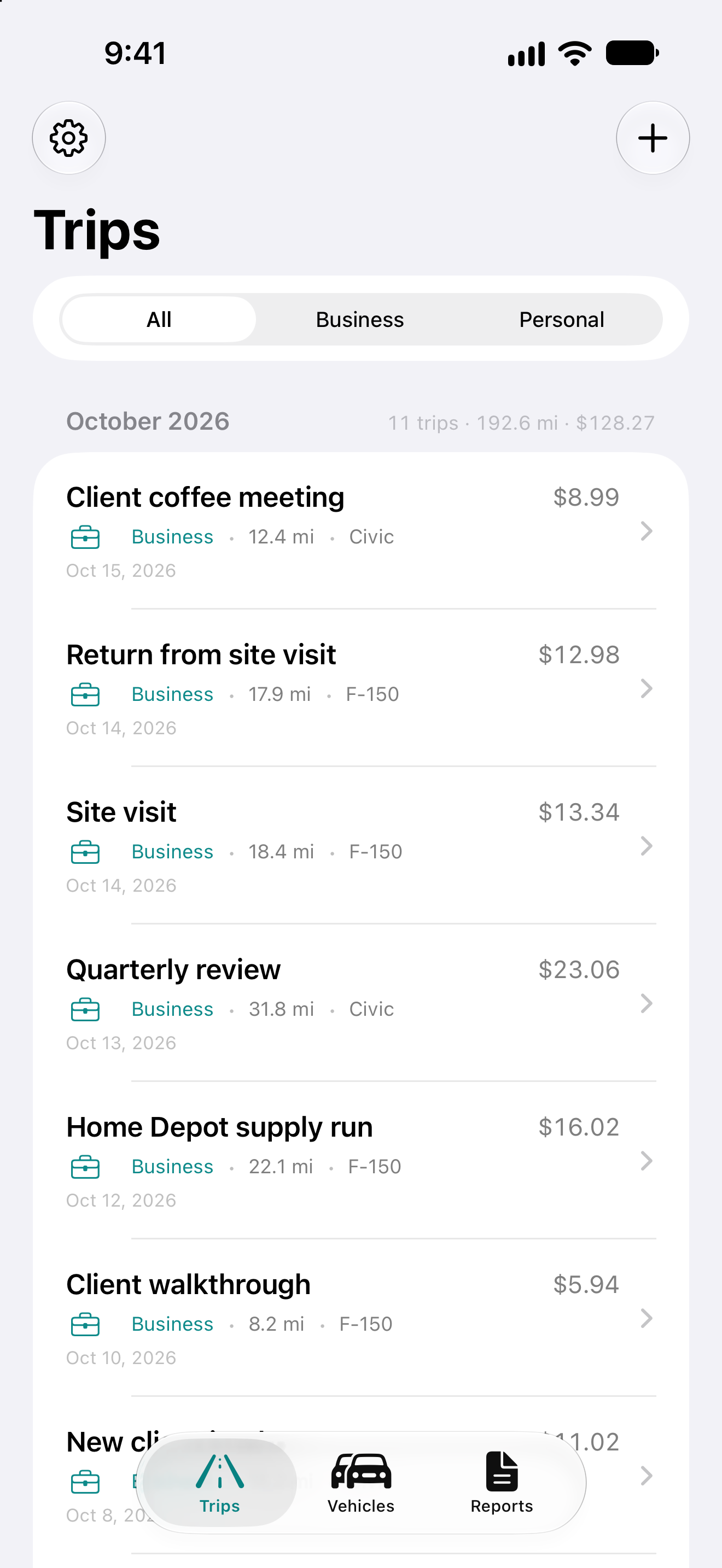
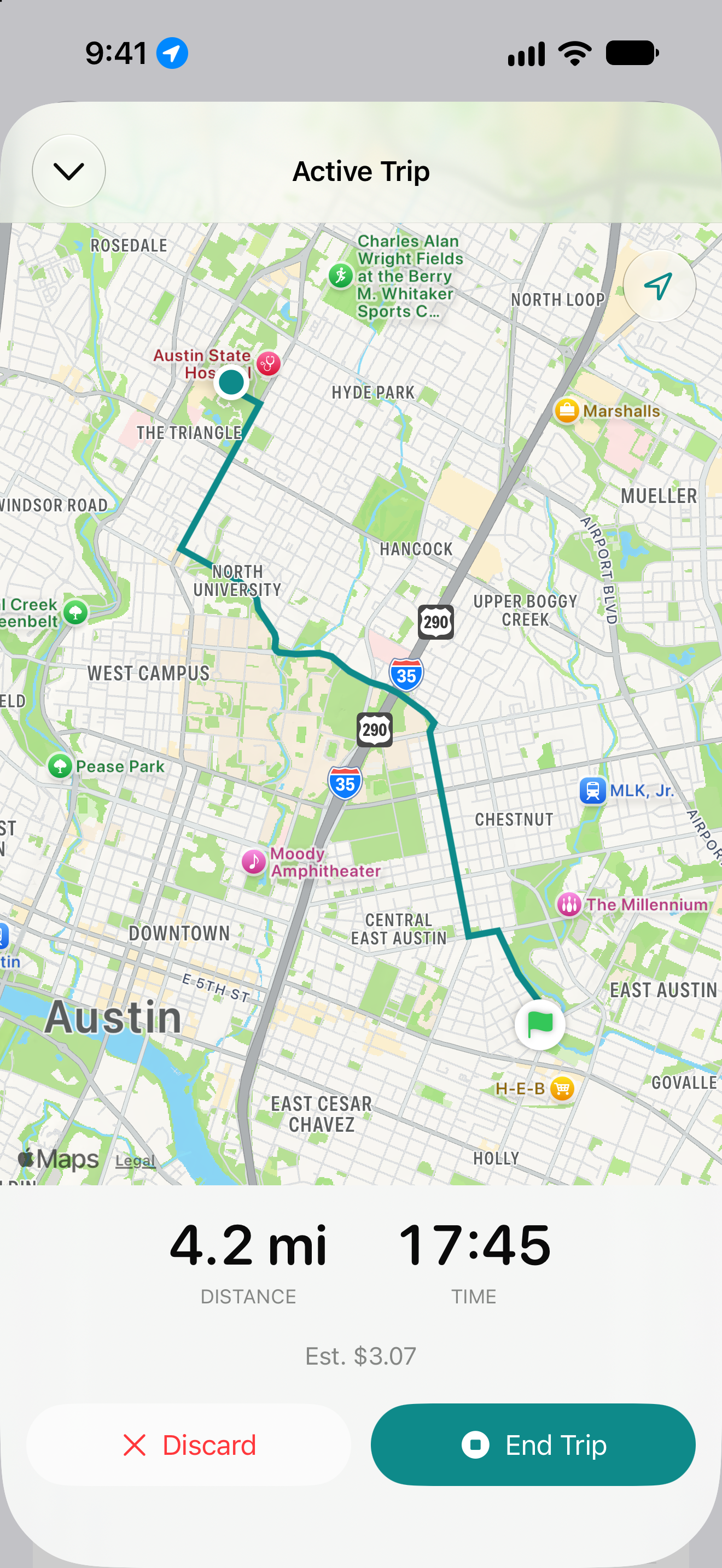
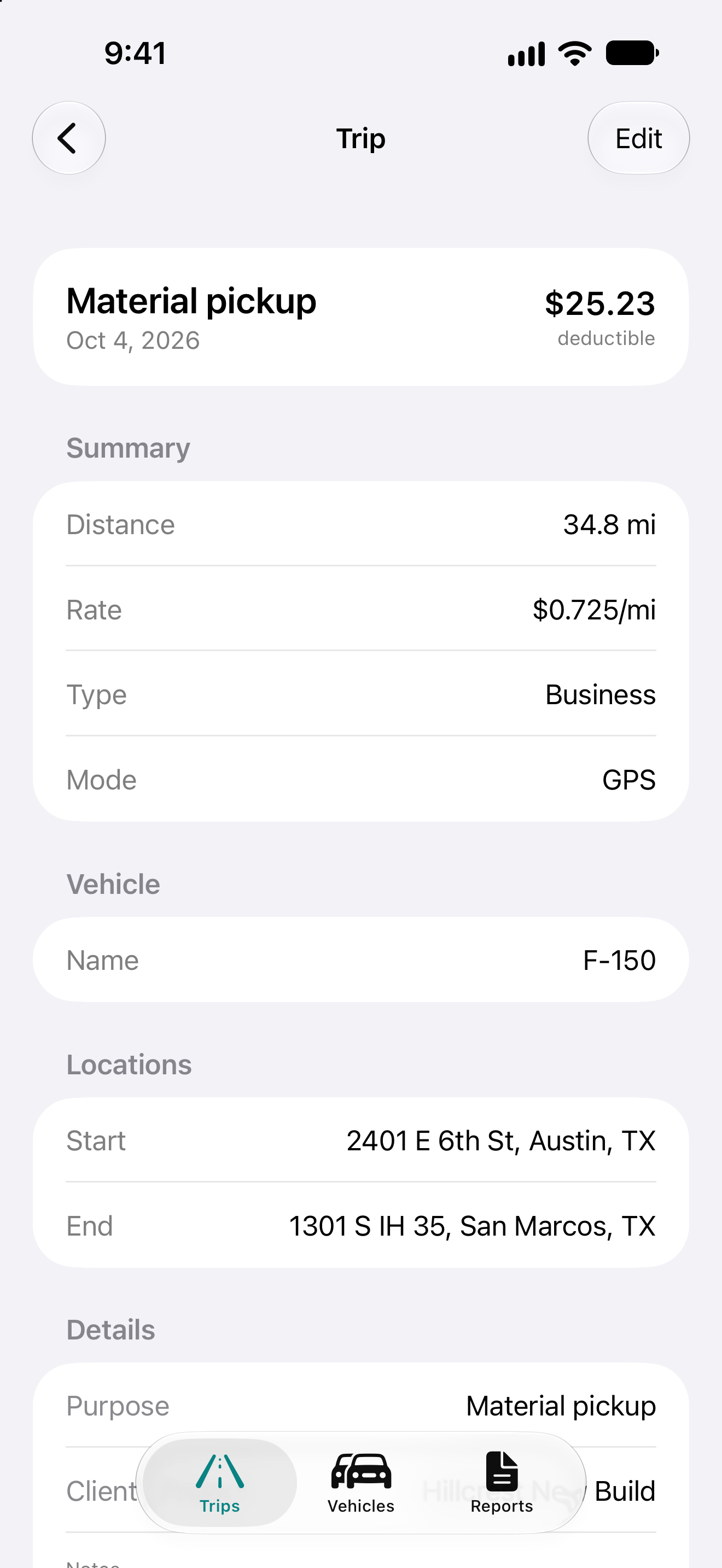
Tap start, drive, tap end. DriveDeck records your route with live distance, time, and estimated deduction on a map as you go.
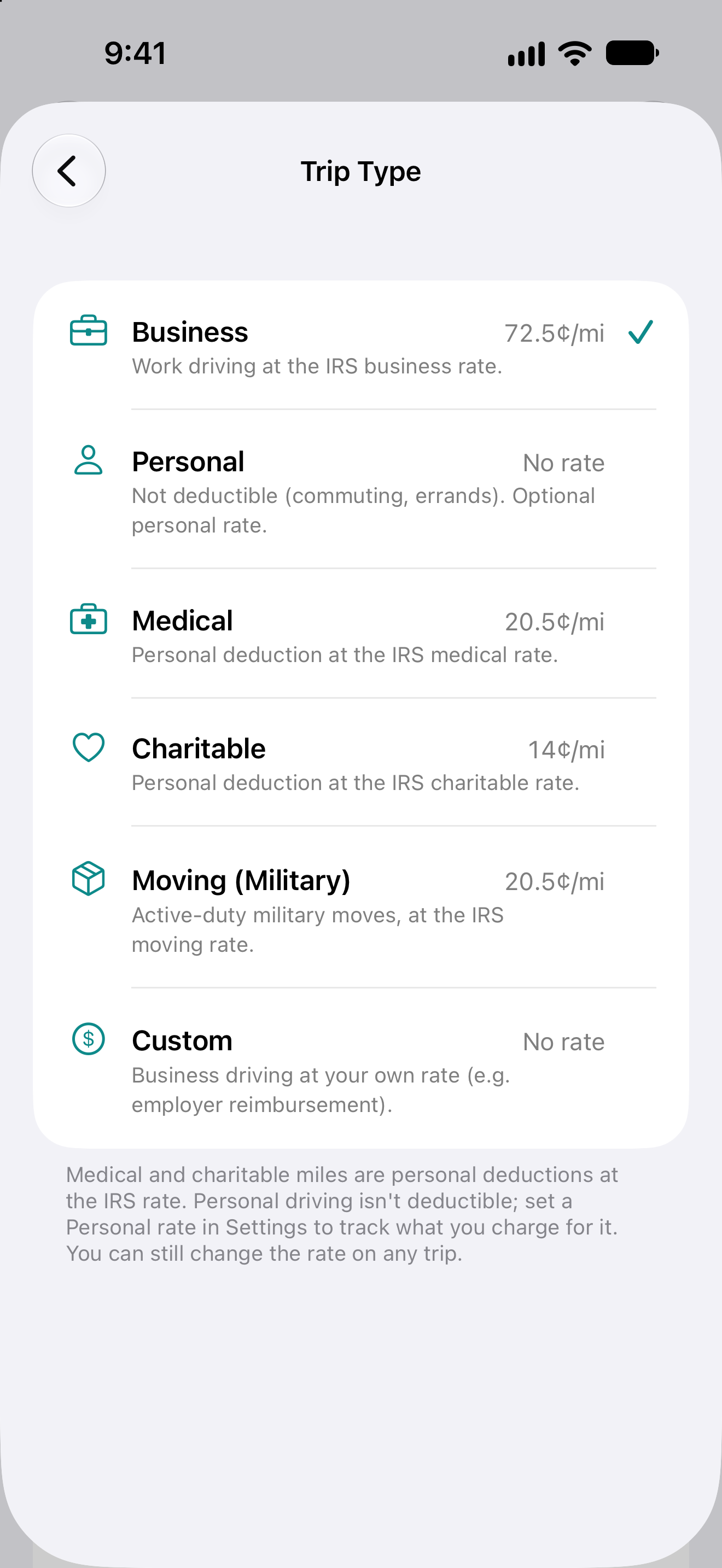
Business, Medical, Charitable, Moving, Personal, or Custom. Pick one and DriveDeck sets the rate and whether the miles count as a deduction. Personal and Custom use your own rates—say, what you charge family for a ride—or none at all to track distance only, and never count as a deduction.
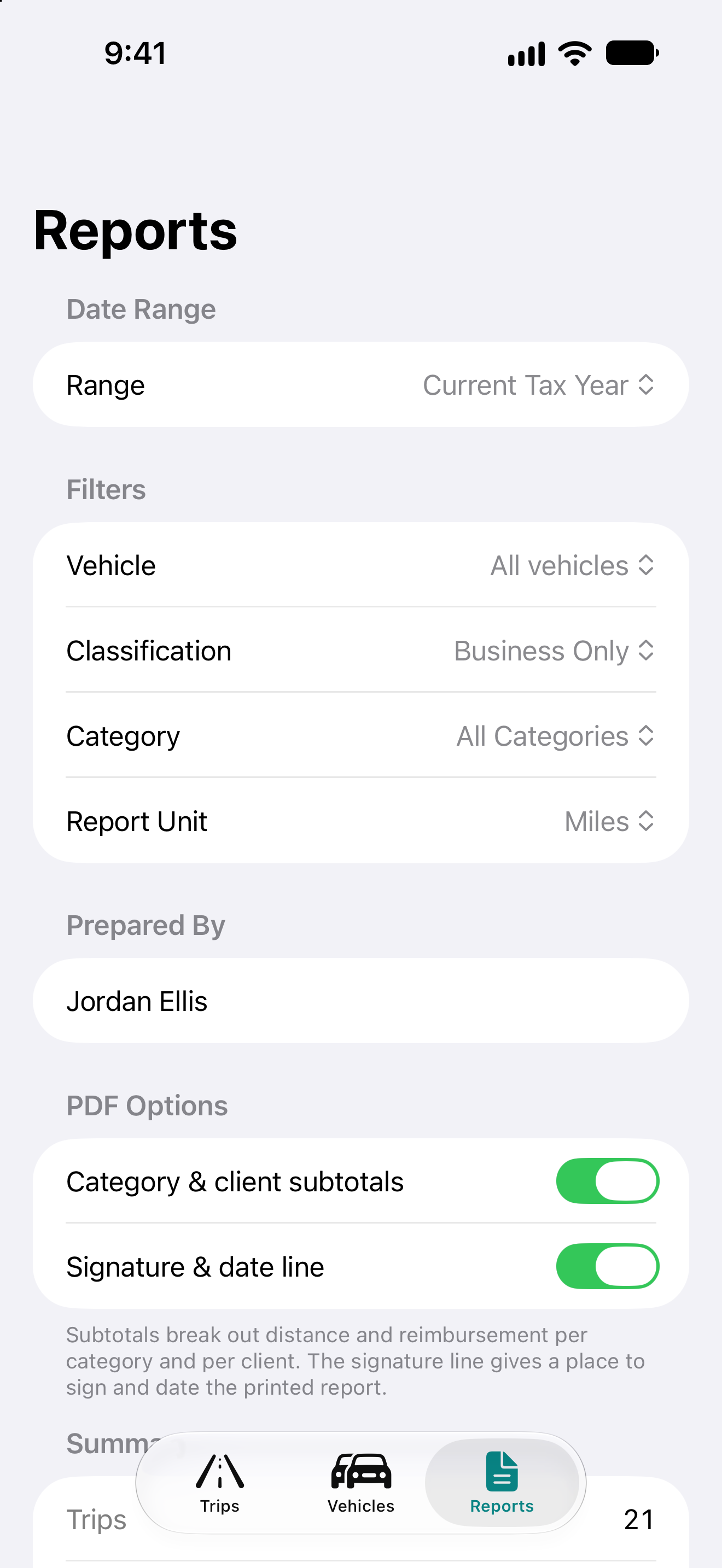
Filter by date range, vehicle, classification, and rate category. See your deductible total at a glance and preview the full report before exporting. Distances show to the hundredth of a mile, and your report preferences are remembered.
Rename a client across every trip at once, or merge duplicates into one. Client names you’ve used before are suggested as you type.
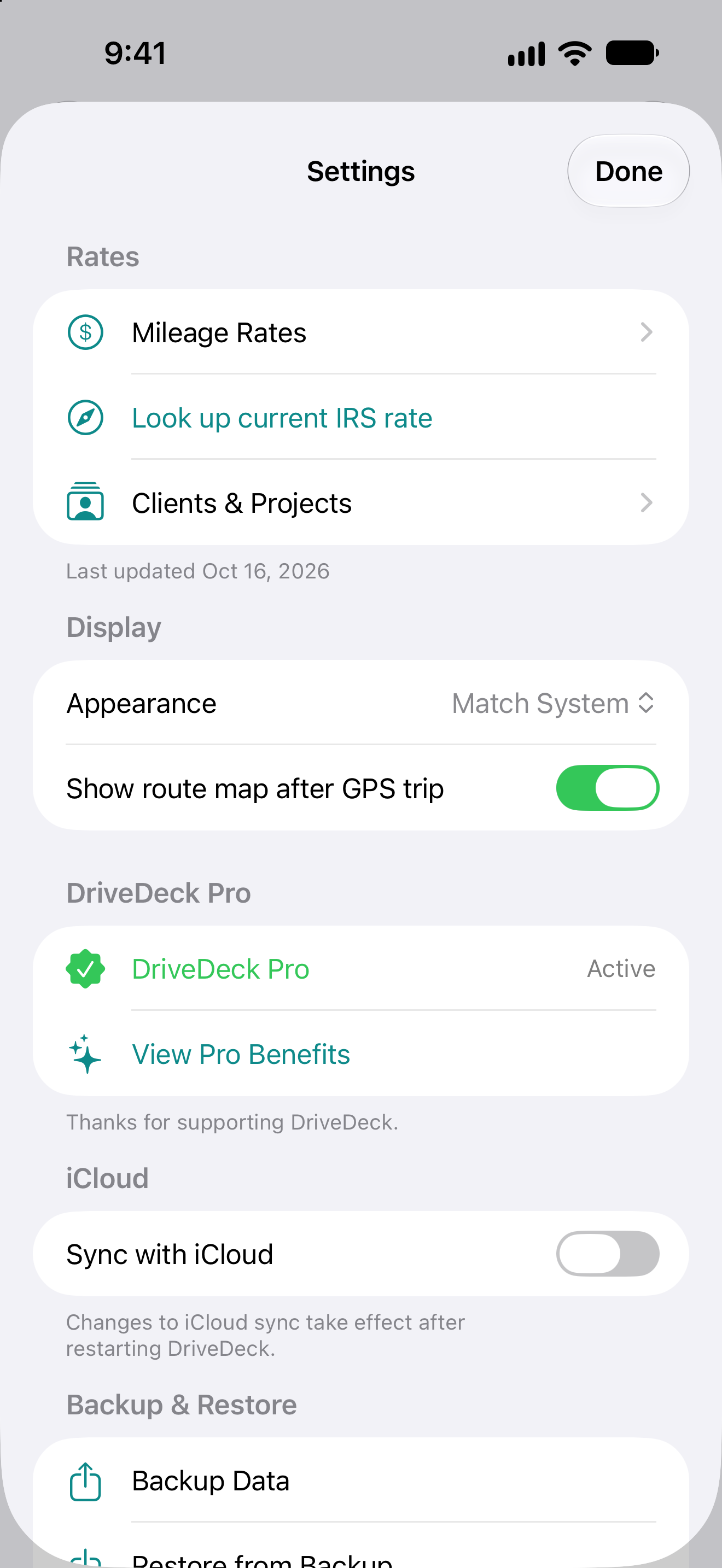
DriveDeck seeds current IRS rates for Business, Medical, Charitable, and Moving, and each trip uses the rate in effect on its date. Adjust a rate anytime, for example to match an employer reimbursement plan, and deduction totals update automatically.
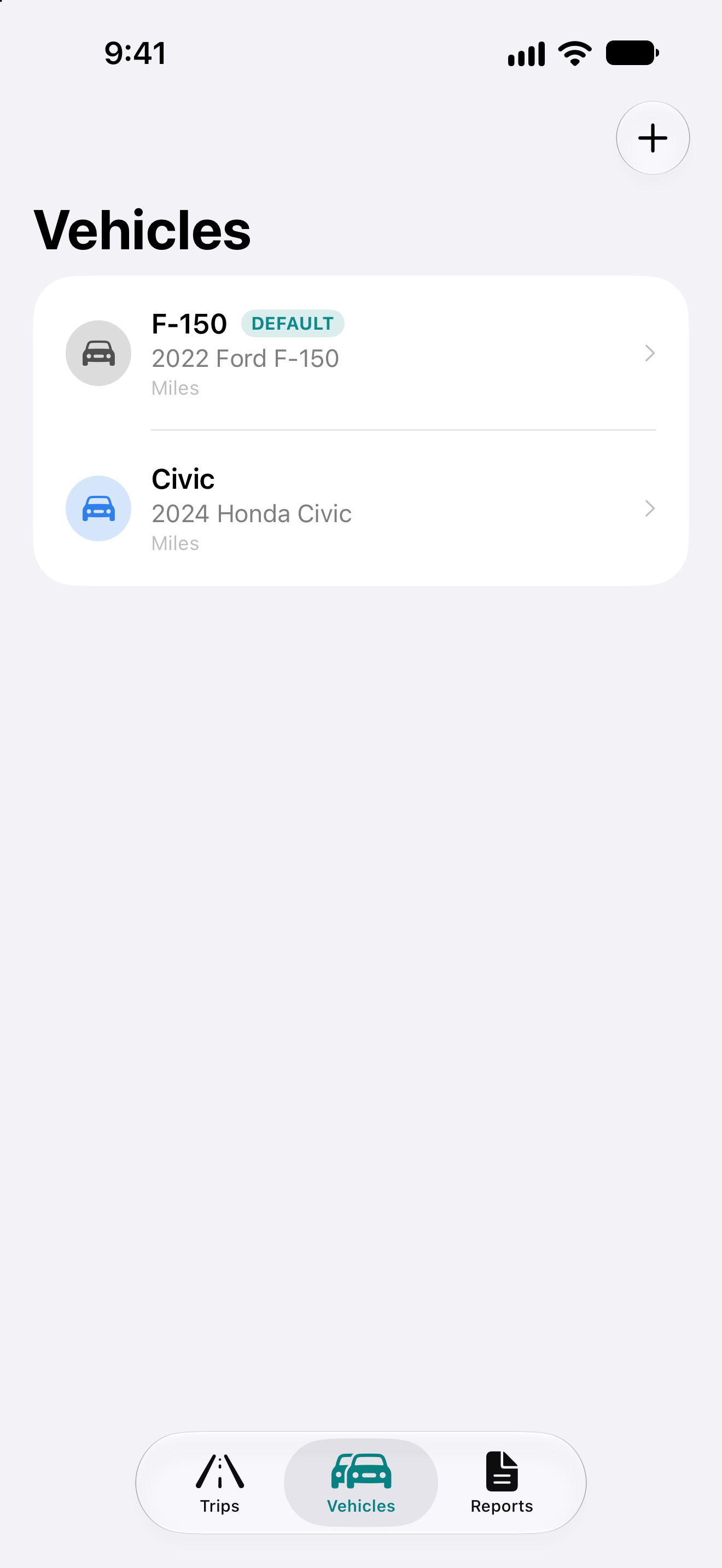
Track as many vehicles as you need, free forever. Switch defaults easily and filter reports by vehicle. Sold a car? Retire it to hide it when you start a trip, while all of its trips stay in your log and reports.
See live distance and time while you drive—on the Dynamic Island or Lock Screen. Get a reminder if you stop for 5 minutes so no trip gets left running.
Year-to-date business miles and your most recent trip at a glance. Four sizes—Small and Medium for Home Screen, Rectangular and Circular for Lock Screen. The medium widget’s Start Trip button works even when your phone is locked, so you can launch a GPS trip from the cup holder with one tap of Face ID.
Start a business or personal trip right from your car’s screen. Watch distance, time, and your estimated deduction as you drive, then tag the trip’s purpose with one tap when you arrive.
Your business miles, trips, and deduction so far this month, right on your Home Screen. It resets on the 1st, so you always know where the month stands.
Three built-in voice phrases—“start a trip,” “end my trip,” “log a trip”—work anywhere Siri does, including CarPlay microphones. Build your own custom shortcuts in the Shortcuts app for advanced workflows.
Your trips and vehicles sync securely across your iPhone, iPad, and Mac via your personal iCloud account.
Forgot to start tracking? Add trips after the fact with start and end locations, distance, and purpose. Nothing gets lost.
Pick the appearance that suits you, independent of your iOS-wide setting. PDF reports always render in light mode—they go to accountants and the IRS, where consistent appearance matters.
Export everything—vehicles, trips, rates, preferences—to a JSON file. Save it to Files, iCloud Drive, or email it to yourself. Restore from any backup, anytime.
Unlock clean, professional reports you can hand straight to your accountant. One-time purchase, no subscription.
Free users can generate watermarked Preview PDFs to see exactly what Pro reports look like before upgrading. Everything else in DriveDeck—GPS tracking, unlimited trips and vehicles, Live Activity, Siri Shortcuts, iCloud sync, backup and restore—is free for everyone.
DriveDeck stores all trip and location data on your device and syncs exclusively through your personal iCloud account. There are no third-party servers, no tracking, and no analytics. Your routes and deduction data stay private.
How the IRS mileage deduction actually works (2026 rates) — what qualifies, what records the IRS requires, and why you have to track now.
MileIQ alternatives without a subscription — how the popular mileage apps price, and a one-time-purchase option.
For questions or feedback, email contact.
DriveDeck is a recordkeeping tool and is not tax advice. Consult a qualified tax professional for guidance on mileage deductions for your situation.